

n8n Automation for Business: 10 Workflows for 2026
 Abdul Sattar10 min read
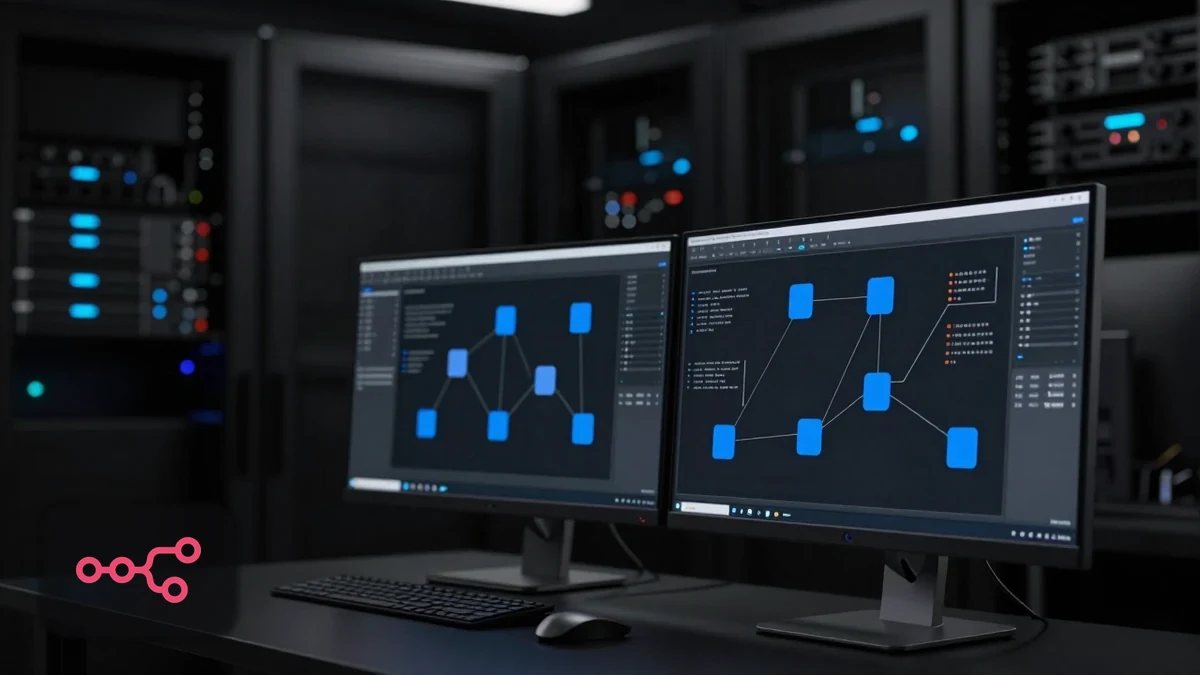
n8n is a workflow automation platform. You connect apps together on a visual canvas, define what triggers a workflow, and set out the steps that follow. If you have used Zapier or Make, the idea is familiar. The differences are that n8n charges per workflow run rather than per step, and you can host it yourself.
This article is not a node-by-node tutorial. It covers ten workflows worth building for an actual business, what each one is for, and where each tends to break.
n8n in plain terms
A workflow has a trigger (something that starts it — a form submission, a schedule, an incoming webhook) and a series of steps (create a record, send a message, check a condition, transform data).
Two practical points shape whether n8n suits you:
Billing unit. n8n counts a full workflow run as one execution regardless of how many steps it contains. Published Cloud pricing starts at €20/month for 2,500 executions on the Starter plan (billed annually). Tools that charge per step get expensive as workflows grow longer; n8n does not.
Hosting. The Community Edition is free and self-hosted. You run it on your own server, which means you control the data and pay infrastructure costs instead of subscription costs. n8n Cloud is the managed alternative.
Ten workflows worth building
1. Website lead to CRM
Business problem. Enquiries arrive by email and get worked from an inbox. Some are missed on busy days.
Trigger. Form submission via webhook.
Apps. Website form, CRM, email or Slack.
Steps. Receive submission → check for existing contact → create or update record → store lead source → notify the assigned owner.
Human involvement. A person makes the actual call. The workflow only guarantees the record exists and someone was told.
Business value. Enquiries stop depending on inbox discipline.
Complexity. Low.
Failure points. Duplicate contacts when the dedupe check is missing; silent failure when the CRM API rejects a malformed field and nobody is watching.
2. Automatic lead assignment
Business problem. Leads sit unassigned because "the team" owns them.
Trigger. New CRM contact created.
Apps. CRM, calendar or availability source, notification channel.
Steps. Evaluate routing rules (service type, territory, value, availability) → assign a named owner → notify that person → start a response timer.
Human involvement. The owner accepts and acts. Managers handle escalations.
Business value. Every lead has one accountable name.
Complexity. Medium — the rules are usually more contested than the build.
Failure points. Assigning to staff who are away; round robin that ignores workload; no escalation when the owner does not respond.
3. New lead SMS and email response
Business problem. Prospects wait without confirmation that their request arrived.
Trigger. New lead created.
Apps. CRM, email service, SMS provider.
Steps. Check consent and channel → send acknowledgement referencing what they asked for → include a booking link → log the message against the contact.
Human involvement. None in sending; a person handles any reply.
Business value. Consistent acknowledgement, and motivated prospects can self-book.
Complexity. Low.
Failure points. Messaging without a proper basis; no stop condition, so acknowledgements continue after the prospect has already spoken to someone.
4. Missed call follow-up
Business problem. Missed calls are lost leads for phone-driven businesses.
Trigger. Missed call event from the phone system.
Apps. Phone or VoIP platform, SMS provider, CRM.
Steps. Receive missed call event → check whether the number is a known contact → send a text offering a callback or booking link → create or update the CRM record → notify staff.
Human involvement. Someone must handle replies. This workflow starts a conversation it cannot finish.
Business value. Calls that would otherwise vanish become trackable enquiries.
Complexity. Medium.
Failure points. Texting existing customers as if they were new leads; texting after hours without setting expectations; no handoff, so replies go unread.
5. CRM pipeline updates
Business problem. Stages are updated inconsistently, so the pipeline is not trusted.
Trigger. A defined event — quote sent, appointment booked, job completed.
Apps. CRM, calendar, invoicing or job management tool.
Steps. Detect the event → move the contact to the matching stage → timestamp the change → notify if a stage has stalled.
Human involvement. Sales still judges qualification. Automation handles mechanical transitions only.
Business value. Reporting reflects reality.
Complexity. Medium.
Failure points. Stages without agreed definitions; automation moving deals backwards; conflicts with manual updates.
6. Review request workflow
Business problem. Reviews get requested when someone remembers.
Trigger. Job marked complete, or invoice paid.
Apps. Job management or CRM, email or SMS, review platform.
Steps. Wait an appropriate interval → check the job closed cleanly → check consent → send one request with a direct link → log the outcome → do not re-ask.
Human involvement. Someone should be able to suppress the request when a job went badly.
Business value. Consistent review flow instead of sporadic bursts.
Complexity. Low to medium.
Failure points. Asking too soon; asking after a complaint; asking repeatedly; sending to customers who have opted out.
7. Customer onboarding
Business problem. New client setup depends on someone remembering a mental checklist.
Trigger. Deal marked won.
Apps. CRM, project tool, document storage, email, calendar.
Steps. Create the project → create the folder structure → send a welcome message with next steps → schedule a kickoff → generate an internal task list.
Human involvement. High. Automation prepares the scaffolding; people do the onboarding.
Business value. Every client starts the same way.
Complexity. Medium.
Failure points. Creating duplicates when a deal is reopened; sending a welcome email before commercial terms are actually agreed.
8. Invoice or payment notifications
Business problem. Overdue invoices are noticed late.
Trigger. Invoice status change, or a schedule.
Apps. Accounting or invoicing platform, email, internal channel.
Steps. Check status daily → identify overdue invoices → notify internally → optionally send a polite reminder → log the action.
Human involvement. Anything beyond a first reminder should be a human decision. Chasing is a relationship issue.
Business value. Payment problems surface earlier.
Complexity. Low.
Failure points. Reminders sent for invoices already paid because of sync lag; tone that damages good client relationships.
9. Internal Slack or email alerts
Business problem. Important events are buried in dashboards nobody opens.
Trigger. Any defined event — high-value lead, failed payment, workflow error, urgent enquiry.
Apps. Source systems, Slack or email.
Steps. Detect the event → check it clears the threshold that makes it worth interrupting someone → format a message with enough context to act → send to the right channel.
Human involvement. Entirely a human trigger — the point is to prompt a decision.
Business value. Time-sensitive events get seen.
Complexity. Low.
Failure points. Alert fatigue. This is the most common failure in the list. An over-alerting workflow trains people to ignore the channel, which is worse than no alerts.
10. Weekly reporting automation
Business problem. Reporting is assembled by hand and therefore skipped when busy.
Trigger. Weekly schedule.
Apps. CRM, analytics, ads platforms, spreadsheet or email.
Steps. Pull figures from each source → combine → compare to the previous period → format → deliver.
Human involvement. Interpretation. The report shows what changed, not why.
Business value. Consistent visibility without manual assembly.
Complexity. Medium to high — several APIs, each with its own quirks.
Failure points. Silent partial failures producing wrong numbers that look plausible. Reports should state clearly when a source failed rather than quietly reporting zero.
The ten workflows compared
| # | Workflow | Trigger | Complexity | Human involvement | Main failure risk |
|---|---|---|---|---|---|
| 1 | Website lead to CRM | Form webhook | Low | Low | Duplicates, silent API errors |
| 2 | Lead assignment | New contact | Medium | Medium | Unavailable staff, no escalation |
| 3 | Lead acknowledgement | New lead | Low | Low | Consent, missing stop conditions |
| 4 | Missed call follow-up | Missed call | Medium | High | No handoff, wrong caller type |
| 5 | Pipeline updates | Stage event | Medium | Medium | Undefined stages |
| 6 | Review requests | Job complete | Low–Med | Low | Bad timing, repeat asks |
| 7 | Customer onboarding | Deal won | Medium | High | Duplicate setup |
| 8 | Invoice notifications | Status/schedule | Low | Medium | Sync lag, tone |
| 9 | Internal alerts | Any event | Low | High | Alert fatigue |
| 10 | Weekly reporting | Schedule | Med–High | Medium | Silent partial failure |
Start with 1 and 3 if you are new to this. They are low complexity, low risk, and address the problem most businesses actually have.
Operational matters that decide whether this lasts
n8n Cloud vs self-hosted. Cloud is managed and predictable. Self-hosting gives data control and removes subscription cost, at the price of maintenance. Choose self-hosting for a genuine data-residency or control requirement, not to save the subscription.
When n8n makes sense. Several tools to connect, workflows with real branching, long workflows where per-step pricing hurts, custom API work, or a data control requirement.
When a simpler tool is enough. Two apps, a linear connection, no branching, low volume, and nobody technical available. Zapier will get that live faster and there is no prize for building it in a more powerful tool.
API connections. Well-documented integrations are quick. Undocumented or rate-limited APIs are where estimates go wrong. Check the API before promising the workflow.
Credentials and access. Stored in the platform, scoped to the minimum needed, owned by the business rather than an individual. Credentials tied to a departing employee's account cause outages later.
Error handling. Every workflow needs a defined failure path. Silent failure is worse than visible failure, because the business keeps assuming the process runs.
Logging. Record what ran, when, and the outcome. Without logs, debugging is guesswork.
Maintenance. APIs change, credentials expire, processes evolve. Budget for it.
Data privacy. Know what personal data moves between systems and where it ends up, especially with self-hosting or AI steps that send content to third parties.
Documentation and ownership. A workflow map, the credential locations, and a named internal owner. Undocumented automation becomes a dependency nobody can safely change.
AI Automation & CRM WorkflowsWe build workflows around the tools you already run, with failure handling and documentation included.Related reading: n8n vs Zapier vs Make in 2026 and GoHighLevel and n8n.
Frequently asked questions
Do I need a developer to use n8n?
Not for straightforward workflows — the canvas is visual. Outside help is usually worth it for custom API connections, complex branching, error handling, and testing. Those are also the parts that determine whether the automation still works in six months.
Is self-hosting n8n actually free?
The Community Edition licence is free. You still pay for the server, and someone has to maintain it, update it, and restore it when something breaks. Compare that total against a Cloud subscription honestly.
How is n8n pricing different from Zapier's?
n8n counts one execution per full workflow run, regardless of steps. Zapier counts a task per successful action step. A twelve-step workflow is one n8n execution and up to twelve Zapier tasks. At low volume it rarely matters; at high volume it changes the platform decision.
Can n8n replace my CRM?
No. n8n moves data between systems and runs logic. It is not a system of record. You still need a CRM to hold contacts, pipeline stages, and history.
What happens when a workflow fails?
Whatever you configured. That is the point — build the failure path deliberately, with alerts, retries where appropriate, and a person who is told. A workflow with no error handling fails silently, which is the expensive kind.
If you already run several tools and want to know which workflows are worth building first, talk to us about an n8n setup based on your existing stack.
Keep reading

AI Automation & CRM · 9 min read
AI Agents vs Workflow Automation in 2026
The difference between deterministic workflows, AI-assisted steps, and true agents — with a decision tree, three business examples, and a risk checklist.
 Abdul Sattar · Sep 6, 2026

AI Automation & CRM · 8 min read
GoHighLevel and n8n: What Each Platform Handles
GoHighLevel is the CRM and messaging layer; n8n connects everything else. Where each fits, eight workflows using both, and when combining adds complexity.
Abdul Sattar · Sep 2, 2026

AI Automation & CRM · 9 min read
n8n vs Zapier vs Make in 2026: Which Platform Fits?
A balanced comparison of n8n, Zapier and Make across pricing model, complexity, hosting and skill required, with scenarios showing which suits which business.
Abdul Sattar · Sep 2, 2026