

Lead Follow Up Automation: From Form to CRM to Sales
 Abdul Sattar10 min read
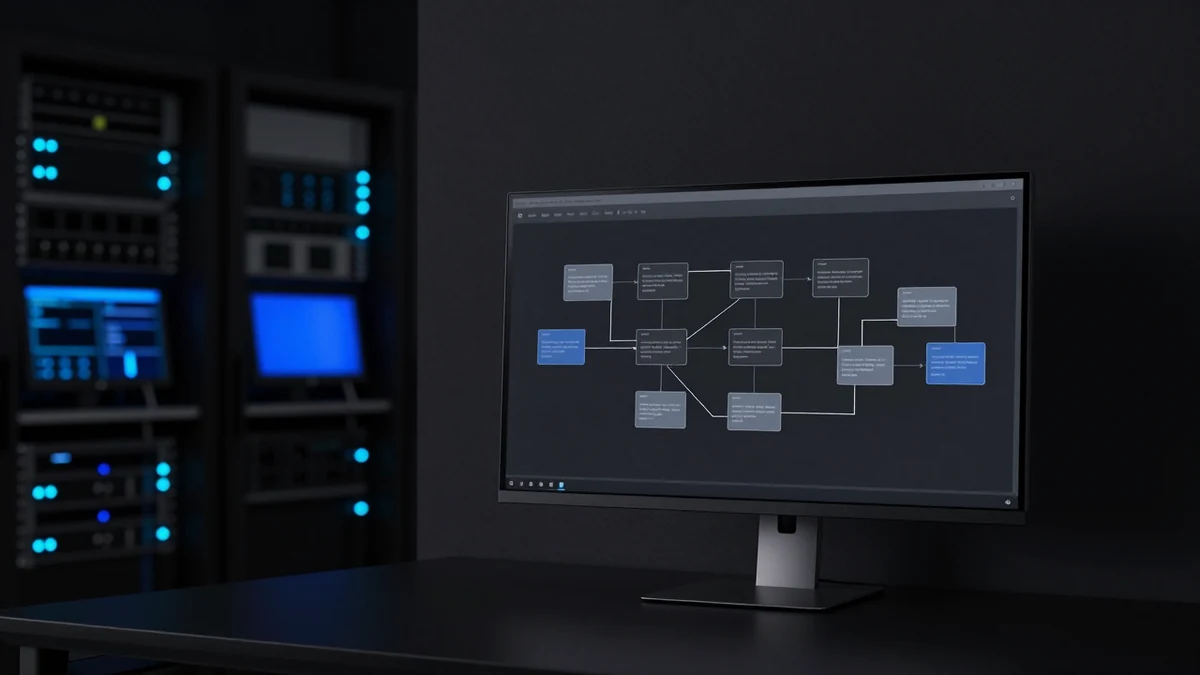
Most businesses spend more attention on getting leads than on what happens to them afterwards. The ads are tuned, the landing page is tested, the form works — and then the enquiry lands in an inbox that somebody checks between jobs.
Lead follow-up automation is the process between a form submission and a real sales conversation. This article maps that path step by step, including the parts that usually get skipped: assignment, stop conditions, and who owns the lead when the automation finishes.
What lead follow-up automation actually means
It is the set of steps that run automatically once an enquiry arrives — creating the record, acknowledging the person, notifying the right staff member, and prompting follow-up if nothing happens.
It is not a replacement for salespeople. The goal is to make sure every enquiry is captured, acknowledged, and assigned consistently, so the human conversation starts from a reliable position instead of a scramble through an inbox.
Why the first response matters
Two things happen while an enquiry waits. The prospect's attention moves on, and — for most service categories — they contact someone else. People requesting a quote rarely request only one.
There is a second, less obvious effect. A fast, clear acknowledgement sets expectations. A prospect who knows their request arrived and hears when someone will call is less likely to chase a competitor in the meantime, even if the actual call happens hours later.
The full path, step by step
1. Website form submission
The starting point. The form should capture what sales genuinely needs to act — not everything that might one day be useful. Every extra required field costs completions.
2. CRM contact creation
The record is created immediately. This is the single highest-value step in the whole chain, because it is what makes the enquiry survive a busy day. An enquiry that exists only as an email is one distraction away from being lost.
Check for an existing contact before creating a new one. Duplicate records split conversation history and cause two people to call the same prospect.
3. Capturing lead source
Store where the lead came from — campaign, page, form, or channel. This is invisible day to day and essential at the point where you decide where to spend next quarter's budget. Capture it at creation; it cannot be reconstructed later.
4. Internal sales notification
Someone is told, through whatever channel they actually watch. A notification into a channel nobody monitors is the same as no notification.
The alert should carry enough detail to act on — name, contact details, what they asked for, and urgency — so the salesperson is not forced into the CRM before they can decide whether to call now.
5. Automatic email acknowledgement
Sent immediately, confirming the request arrived and saying what happens next. Specific beats generic: "We've got your request for a boiler service and will call within one business day" does more than "Thanks for contacting us."
6. SMS acknowledgement
Useful where the enquiry is urgent or the audience is mobile-first. SMS gets opened, which is exactly why it should be used sparingly — one clear message, not a sequence.
Only send to numbers where you have a basis to do so, and honour opt-outs immediately.
7. WhatsApp response where relevant
In markets where WhatsApp is the default channel, it can carry the acknowledgement instead of SMS. Business messaging is subject to platform template rules and opt-in requirements, so this needs setting up properly rather than bolting on.
8. Lead assignment
The lead is given to a named person. This is where most follow-up processes quietly fail — an enquiry that belongs to "the team" belongs to nobody.
Assignment can be by round robin, territory, service type, or availability. The method matters less than the outcome: one name attached to one enquiry.
9. Priority lead routing
Not every lead deserves identical handling. High-value services, repeat customers, or enquiries matching your best-fit profile can route to a more experienced salesperson or a faster path.
10. Emergency lead routing
For service businesses, urgent requests need a different path entirely — immediate phone alert, on-call routing, and no reliance on someone reading an email. Detecting urgency is one of the few places where AI classification genuinely earns its cost, though a keyword rule plus a form checkbox covers most cases.
11. Sales follow-up reminders
If the assigned person has not logged contact within an agreed window, they get a reminder. If nothing happens after that, it escalates to a manager. This is the mechanism that turns "we should follow up" into something that reliably happens.
12. Pipeline stage updates
The CRM stage moves as the lead progresses — new, contacted, quoted, booked, won, lost. Stages need agreed definitions before automation touches them, or the pipeline becomes a report nobody trusts.
13. Follow-up when no staff member responds
Distinct from the prospect not replying. This is an internal accountability path: the enquiry was received but nobody acted. It should escalate to a person, not send the prospect another message.
14. Follow-up when the prospect does not reply
A small number of spaced, genuinely useful messages. Two or three, not seven. Each should add something — availability, a relevant example, an offer to answer questions — rather than repeating "just checking in."
15. Stopping automation after a reply
The most important rule in the entire system. The moment a prospect replies, books, or is marked as contacted, every pending automated message stops.
16. Appointment booking
Where the process is heading. A booking link in the acknowledgement lets motivated prospects skip the back-and-forth entirely.
17. Human handoff
The automation's job ends when a person takes over. That handoff should be explicit — a status change, an assignment, a logged activity — so nobody has to guess whether the lead is being handled.
18. Tracking response time and lead status
Record when the enquiry arrived and when first human contact occurred. Without this you cannot tell whether the process improved; you can only feel that it did.
One complete example workflow
Website form submitted
  ↓
Check for existing contact
  ├─ Exists → update record, flag as returning enquiry
  └─ New    → create CRM contact
  ↓
Store lead source, campaign, and form details
  ↓
Classify request  →  urgent?
  ├─ Yes → phone alert to on-call staff, priority queue
  └─ No  → standard queue
  ↓
Assign to named salesperson
  ↓
Send acknowledgement (email, plus SMS if urgent)
  with booking link
  ↓
Notify assigned person with full lead detail
  ↓
Wait — has the salesperson logged contact?
  ├─ Yes → set stage "Contacted", stop internal chase
  └─ No after agreed window → remind salesperson
        └─ Still nothing → escalate to manager
  ↓
Has the prospect replied or booked?
  ├─ Yes → STOP all automated messaging
  │         set stage "Booked" or "In conversation"
  │         hand to human
  └─ No  → send up to two spaced follow-ups, then stop
  ↓
Record first response time and outcome
Two branches do the heavy lifting: the internal check (did our team act?) and the prospect check (did they respond?). Systems that only implement the second still lose leads, because nobody notices when staff drop one.
Recommended CRM fields
| Field | Why it matters |
|---|---|
| Lead source | Attribution and budget decisions |
| Campaign or page | Which content produced the enquiry |
| Service requested | Routing and quoting |
| Urgency flag | Emergency vs standard path |
| Assigned owner | Accountability |
| Date received | Response time measurement |
| Date of first human contact | Response time measurement |
| Pipeline stage | Forecasting and reporting |
| Consent status | Whether SMS or marketing messages are permitted |
| Outcome reason | Why deals were won or lost |
The two timestamps are worth more than most teams expect. They convert "we think we're faster now" into a number.
Lead routing example
A home services business with three technicians and one office manager:
| Condition | Route |
|---|---|
| Emergency keyword or urgent checkbox | Phone alert to on-call technician, immediate |
| Commercial enquiry | Office manager, who handles quoting |
| Residential, standard | Round robin across available technicians |
| Existing customer | Whoever handled the previous job |
| Outside service area | Auto-response with referral, no assignment |
That last row matters. Routing out-of-area enquiries automatically saves time that would otherwise be spent qualifying leads you cannot serve.
Common workflow mistakes
Too many messages. Volume feels like diligence and reads as desperation. Two or three well-spaced messages outperform a seven-step sequence.
Generic messages. "Thanks for your enquiry" acknowledges nothing. Reference what they asked for.
No human ownership. Automation that notifies "the team" reliably produces enquiries nobody called.
Poor CRM data. Automation built on inconsistent fields produces inconsistent results faster. Fix definitions first.
No stop conditions. Covered above, and worth repeating — this is the mistake that actively damages relationships.
Automating the wrong stage. If the problem is that nobody calls back, faster notification does not fix it. Fix the accountability, then automate.
AI Automation & CRM WorkflowsWe map what happens between an enquiry arriving and a salesperson picking it up, then build the workflow around it.Related reading: CRM Automation: 8 Processes to Automate First and Missed Call Text Back for Service Businesses.
Frequently asked questions
How fast should the first response be?
Fast enough that the prospect has not moved on, and consistent enough that it happens every time. An automatic acknowledgement can be immediate; the human call can follow within an agreed window. Set a standard your team can actually hold and measure against it.
Should the first message be email or SMS?
Email suits most enquiries and carries more detail. SMS suits urgent requests and mobile-first audiences, and should be used once rather than as a sequence. Send SMS only where you have a proper basis to message that number.
What if we do not have a CRM?
Then that is the first thing to fix. Follow-up automation depends on a reliable record of who enquired and what happened next. A spreadsheet can work briefly, but it will not support assignment, stage tracking, or reporting.
How many follow-ups should we send before stopping?
Two or three spaced messages is a reasonable default, each adding something useful. Beyond that, response rates fall and irritation rises. Always stop immediately on reply.
Where does AI genuinely help here?
Classifying an enquiry, detecting urgency, extracting details from free-text messages, and drafting internal summaries. Contact creation, notifications, reminders, and stage changes are rule-based and should stay that way — they need to be predictable.
If leads are arriving but follow-up is inconsistent, ask us to review your current lead follow-up workflow. We will map what happens today, show where enquiries are being dropped, and tell you which step to fix first.
Keep reading
AI Automation & CRM · 10 min read
AI Chatbot vs Live Chat vs Contact Form: Which to Use
How AI chatbots, human live chat, and contact forms compare on speed, cost, accuracy, and lead quality — and which fits your website and team.
 Shahid Ali · Sep 17, 2026

AI Automation & CRM · 8 min read
Lead Qualification Automation: Score, Route, Prioritise
How to classify inquiries before sales follows up: what to collect, rule-based versus AI classification, routing logic, and how to avoid rejecting good leads.
 Abdul Sattar · Sep 6, 2026

AI Automation & CRM · 8 min read
Quote Follow Up Automation for Service Businesses
How to turn a sent estimate into a tracked sales state: CRM statuses, a follow-up schedule that stops on reply, message examples, and open-quote reporting.
Abdul Sattar · Sep 6, 2026